Handheld Gaming PCs in 2026
Two years ago, this category was basically one device. You wanted a handheld gaming PC, you bought a Steam Deck, end of conversation. That’s not true anymore, and honestly, the amount of choice now feels a little overwhelming if you’re just trying to figure out which one to actually buy.
So let’s cut through it.
Steam Deck OLED — Still the One Most People Should Buy
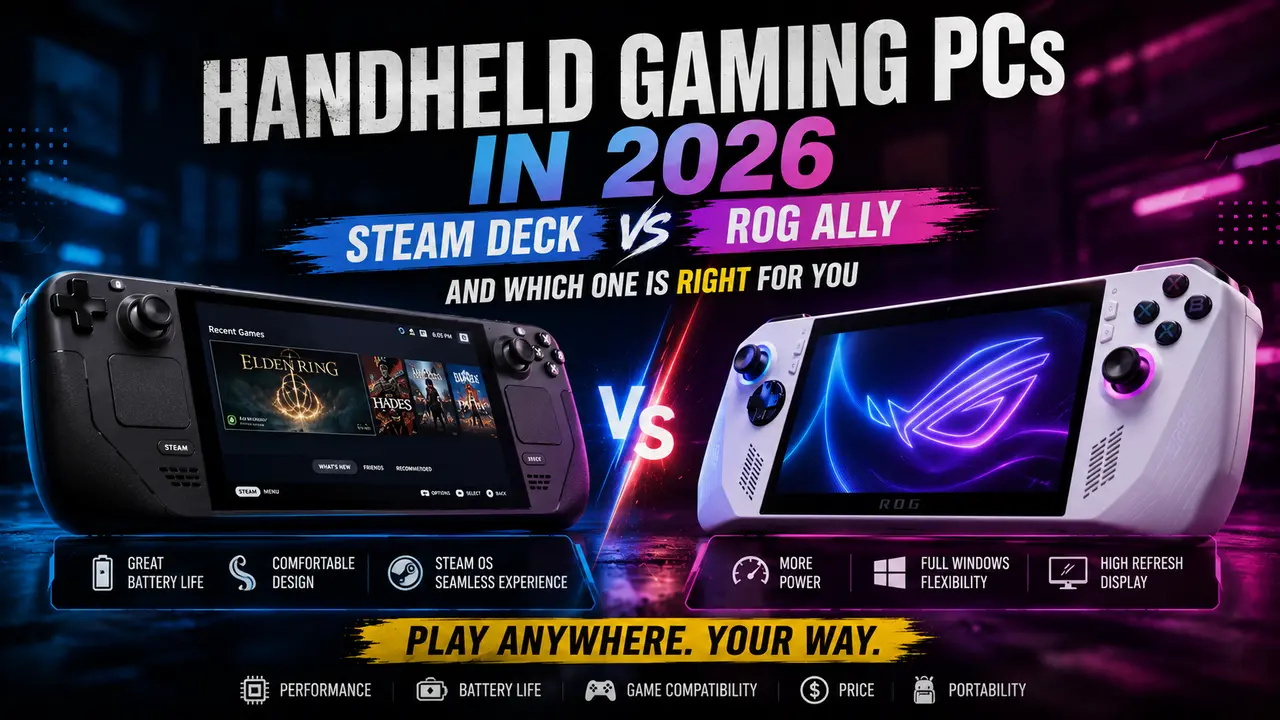
Valve’s device remains the benchmark for a reason that has nothing to do with raw horsepower. It’s $549, it runs SteamOS with zero setup friction against your existing Steam library, and the battery life genuinely holds up through a real gaming session instead of dying halfway through one.
The 7.4-inch OLED screen runs at a native 800p rather than chasing 1080p, and that’s actually the smart move here. Lower resolution means the hardware doesn’t have to work as hard, which means better battery life and more consistent frame rates in demanding games. You’re not getting the sharpest image on the shelf. You’re getting the most balanced one.
If your game library lives on Steam and you just want something that works the moment you turn it on, stop reading and go buy this one.
ASUS ROG Xbox Ally X — Power, at a Price
Here’s where things get more interesting, and more expensive. The Ally X runs an AMD Ryzen AI Z2 Extreme chip with RDNA 3.5 graphics, and it is, by a real margin, the most powerful handheld you can currently buy. In testing from Technerdo, it averaged 48 FPS in Cyberpunk 2077 at 1080p on medium settings — a genuinely demanding benchmark for something you’re holding in two hands.
That power costs you two things: money and battery life. At $999.99, it’s nearly double the Steam Deck’s price, and you’ll be reaching for a charger more often. ASUS also sells a cheaper, non-X ROG Xbox Ally for people who want the Windows experience and the brighter 120Hz screen without paying flagship prices — it’s reportedly the easiest mainstream handheld to actually find in stock, which matters more than people expect in a category that sells out constantly.
Ask yourself what you’re actually optimizing for. If it’s frame rate in demanding AAA titles, this is your device. If it’s “I want to play for three hours on a train without hunting for an outlet,” it isn’t.
Lenovo Legion Go / Legion Go S — Built for Flexibility
Lenovo took a different bet entirely. The Legion Go has the biggest, highest-resolution screen in the category, and its detachable controllers can pop off and function as a mouse — a genuinely clever trick if you play anything that benefits from precise aiming. The Legion Go S goes further on the software side, letting you choose between SteamOS or Windows depending on which ecosystem you’d rather live in.
That flexibility is the whole pitch. You’re not locked into Valve’s software the way Steam Deck owners are, and you’re not stuck with Windows the way most ASUS and MSI devices force you to be.
A Legion Go 2 is reportedly on the way too, so if you’re specifically drawn to this one, it might be worth checking what’s changed before buying the current model.
MSI Claw 8 AI+ — The Intel Option
Most of this category runs on AMD silicon. MSI’s Claw 8 AI+ doesn’t, betting instead on Intel’s latest chips alongside genuinely premium build quality and Thunderbolt connectivity — useful if you want to dock into external displays or fast storage without hunting for the right adapter. It’s carved out a real niche among buyers who specifically want out of the AMD-dominated pack, even if it’s not usually the top pick in head-to-head benchmarks.
The Niche Picks Worth Knowing About
Not everyone fits neatly into “value,” “power,” or “flexibility.” The OneXPlayer 2 Pro targets a smaller crowd of enthusiasts who want eGPU docking potential alongside a large screen — essentially a handheld that can turn into something much more powerful once you’re home and plugged into an external graphics card. The GPD WIN 4 goes the opposite direction, staying genuinely pocket-sized while still cramming in a real physical keyboard, which makes it the odd one out that frequent travelers keep recommending to each other.
Neither is a mainstream pick. Both solve a specific problem extremely well if that problem happens to be yours.
What’s Coming Next
Valve isn’t done, even if a direct Steam Deck 2 isn’t imminent. The company is reportedly building out a broader hardware ecosystem, including a Steam Frame and a Steam Machine, while also licensing SteamOS to other manufacturers — Lenovo’s Legion Go S already runs it, and that partnership model seems likely to expand. Intel, meanwhile, is pushing Arc G3 and G3 Extreme chips specifically for handhelds, with Acer and MSI reportedly lined up as partners later this year. The competitive pressure on AMD’s current dominance is only going to increase from here.
So Which One Do You Actually Buy?
If you’ve read this far hoping for a single universal answer, there isn’t one, and that’s kind of the point of how far this category has come. Steam-first gamers who value battery life and don’t want to fuss with settings should stick with the Steam Deck OLED. Players chasing the best possible frame rates in current AAA titles, and willing to trade battery life and budget for it, should look at the Ally X. Anyone who wants the biggest screen or the freedom to switch between SteamOS and Windows should be looking at Lenovo’s lineup instead.
None of these choices are wrong, exactly. They’re just built around different assumptions about how you actually want to play.
If you’re weighing a handheld against building a proper desktop instead, our beginner’s PC build guide breaks down what you’d actually get for similar money on the desktop side.