Windows 11 26H2 is the strangest kind of big annual update. Microsoft calls it the 2026 Update, it has a new version number, and it officially rolled out on September 29. But if you’ve been keeping your PC patched all year, you’ve probably already got most of it. The version bump is mostly a label on work that arrived piece by piece through monthly updates.
That doesn’t mean there’s nothing to know. There are real support deadlines, a handful of bugs worth watching, and one gaming fix that landed in October’s patch. Here’s the whole picture as of October 18, pulled from Microsoft’s own release health pages and the outlets tracking them.
The short version
- 26H2 installs as a tiny enablement package (about 174KB and one restart) on PCs already running 24H2 or 25H2.
- Very little is exclusive to it. Most “new” features, like the movable taskbar, were already delivered through monthly updates.
- Microsoft’s known-issues list for Windows 11 26H2 is short and mostly aimed at business PCs, but a few items matter to gamers.
- If you’re still on 24H2 Home or Pro, you’re past the end of support date. That’s the real reason to update.
What Windows 11 26H2 actually is
Windows 11 24H2, 25H2, and 26H2 share one servicing branch, meaning they’re the same underlying code. New features ship dormant inside monthly cumulative updates, and the 26H2 enablement package (KB5121794) is a “master switch” that turns them on. Microsoft’s servicing team put it plainly: the difference between these versions is simply which features are enabled. After installing, your build number moves into the 26300 series. October’s update, KB5127648, puts 26H2 at build 26300.9711.
One thing to keep straight: 26H1 is a different animal. It shipped earlier this year only on select new Arm laptops, so it’s not something an existing x86 desktop gets. 26H2 is the version for everyone else.
Worth knowing too, per Windows Latest’s testing, that two PCs on Windows 11 26H2 can still look different. Some features rolled out in stages, and in an August test several were hidden after the version change until forced on. So if a feature below isn’t there yet, that’s not necessarily your fault.
What’s actually new
Here’s the grouped list, based on Microsoft’s own 26H2 notes and hands-on coverage.
Taskbar, Start, and Search (the stuff you’ll actually notice)
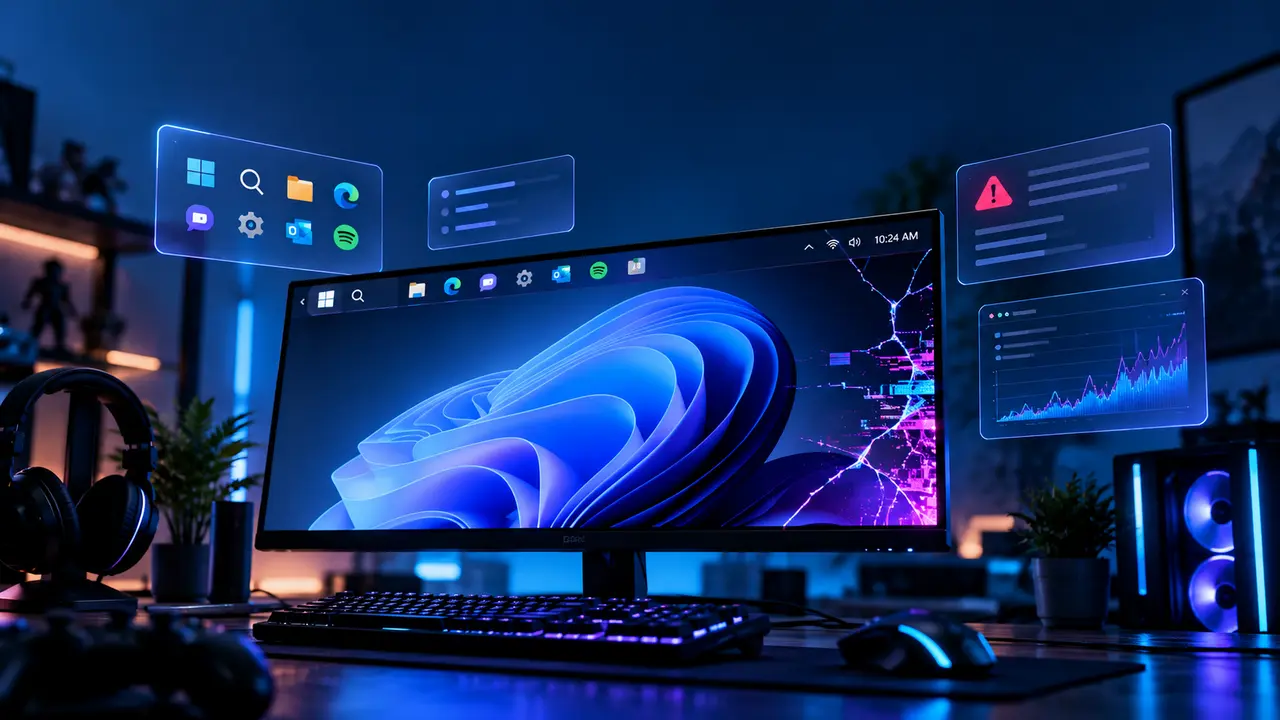
- A movable taskbar. For the first time since Windows 11 launched in 2021, you can dock it on the top, left, right, or bottom edge, and there’s a smaller taskbar option. When it’s at the top, Start and Search open downward. The smaller taskbar and the search box only work with top or bottom placement.
- A more flexible Start menu, with size options and toggles to show or hide the Pinned, Recent, and All apps sections.
- Cleaner Search, with result previews, better handling of typos and partial app names, labels showing what kind of result you’re looking at, and automatic indexing of frequently used folders. You can also turn off web results and Microsoft Store suggestions separately under Settings, Privacy & security, Search.
-
A customizable right-click menu.
Windows Latest reports the movable taskbar, resizable Start, and Bing-free Search started rolling out with the September 8 update, KB5124008, which is worth remembering, since that’s the same update that broke USB audio for some people.
AI features (mostly optional) Microsoft is leaning into Copilot again, with an “Ask Copilot” option on the taskbar, AI actions for images in File Explorer, the ability to summarize OneDrive and SharePoint documents, and a richer Narrator that describes images. Several of these need turning on, and some depend on Copilot+ hardware, so don’t assume you’ll see all of them. Task Manager also reportedly gains NPU usage tracking next to CPU and GPU graphs.
Security
- Administrator protection, which handles just-in-time admin privileges and profile separation.
- Smart App Control can now be turned on or off without a clean install.
- Windows Hello Enhanced Sign-in Security extends to compatible external fingerprint sensors.
- Built-in Sysmon functionality for capturing system events.
- Post-quantum cryptography support for the NIST-standardized ML-KEM and ML-DSA algorithms.
- Driver security changes that alter how the kernel trusts third-party drivers.
Recovery and everyday plumbing
- Point-in-time restore, which can roll a PC back including apps, settings, and files. It only turns on automatically if the OS volume is 200GB or larger. It was already on for Home and unmanaged Pro PCs, and Windows 11 26H2 is when managed business systems get it.
- Windows settings backup and restore, now enabled by default on eligible devices.
- Update controls that include pausing updates on a calendar for up to 35 days, plus bundled driver, firmware, and .NET restarts so you’re nagged less.
- Accessibility work: Magnifier gets more precise zoom and screen tint options, Narrator adds a Braille Viewer, and Voice access expands natural-language commands on Copilot+ PCs. There are also shared Bluetooth audio, multi-app camera access, and a few networking improvements.
My honest read: if you’re a home user, the movable taskbar and web-free Search are the features you’ll actually feel. Everything else is either for IT departments or for people who want Copilot.
Known issues and fixes
Microsoft’s 26H2 release health page lists only a few open problems, and most of them are enterprise-flavored. The wider picture, including problems from the October 13 Patch Tuesday, is messier. Here’s everything I could confirm.
| Issue | Who it hits | Status | What to do |
|---|---|---|---|
| USB Audio Class 1.0 devices fail with a Code 10 error, produce no sound, or break in multichannel modes (started with the Sept. 8 update) | Some USB headsets, DACs, audio interfaces, and mics | Mitigated per Microsoft; out-of-band update KB5129195 released Sept. 14 | Install the latest updates; fall back to 2-channel stereo as a stopgap. One tracker notes the OOB update fixed the multichannel failures but may not revive devices that stopped working entirely |
| Mouse input stutter in some games | Gamers | Fixed in KB5127648 (Oct. 13) | Install the October update; Microsoft didn’t say which games or what caused it, so it may not cure every stutter |
| Xbox sign-in error 0x87DD0005 in Microsoft Solitaire, Mahjong, and Gears of War 4 | Players on Windows 11 after October’s updates | Cause unconfirmed; no official fix | Community workaround below |
| Black screen or desktop not loading after sign-in | Mostly Azure Virtual Desktop hosts using FSLogix | Resolved in KB5127648 | Install the October update |
| Legacy apps crash when decoding AC-3 (Dolby Digital) audio, after the Sept. 22 update | Older apps | Resolved in KB5127648 | Install the October update |
| Credential Guard machine accounts lose their secure channel with the AD domain | Domain-joined business PCs | Mitigated | Enterprise issue; tied to 26H2 enabling Machine Identity Isolation |
| Remote Desktop fails for non-admin users (error 0xC000000D) when Administrator protection is on | Business PCs | Mitigated | IT admins only |
| Enterprise Wi-Fi, Ethernet, and VPN logins fail (PEAP/MS-CHAPv2 with 802.1X) | Managed work networks. Home WPA2-Personal Wi-Fi reportedly keeps working | Microsoft confirmed it and published a workaround | Admins can temporarily set the BlockNtlmv1SSO registry value to 0; the lasting fix is moving to certificate-based EAP-TLS |
The three that matter if you’re a gamer or home user
USB audio. This is the one most likely to bite you if you use a USB headset, DAC, or mic. Microsoft still lists it as mitigated, not resolved, and says IT admins who need an immediate workaround for symptoms the out-of-band update didn’t cover can contact Microsoft Support for Business. If your device stopped working after September 8, update Windows first. If it’s still dead, switching the output format to 2-channel stereo (Settings, System, Sound, pick the device, Output format) was the workaround that helped some people, at the cost of multichannel and spatial audio.
Mouse stutter. This one’s a quiet win. KB5127648 lists a single line under Gaming saying the update fixes mouse input stutter in some games. Microsoft gave no details, but Windows Latest noted that users had been swapping perfectly good mice for months with no change, which suggests a Windows bug rather than hardware. Install the October update before you buy anything. That said, the fix covers one confirmed bug, and plenty of other things can make a mouse feel twitchy.
Xbox sign-in failures. Since October 14, a growing thread on Microsoft’s Q&A forum describes Microsoft Solitaire, Mahjong, and Gears of War 4 refusing to sign in with error 0x87DD0005, even though the Xbox app and browser logins work. As of October 17, more than 70 people had flagged the same issue. Reports point to KB5127648 or the companion .NET update KB5127694, but nobody has confirmed which, and Microsoft hasn’t released a fix. A workaround circulating in the community, which Microsoft hasn’t verified: open Services, find Microsoft Account Sign-in Assistant, set its startup type to Automatic, and restart the service. Treat it as worth a try, not a guarantee.
How to get Windows 11 26H2
- The official route: Settings, Windows Update, then turn on “Get the latest updates as soon as they’re available.” Once your PC is eligible, the option to download version 26H2 appears. Microsoft is doing a controlled rollout, so two eligible PCs can see it at different times, and PCs with known compatibility problems can be held back by a safeguard.
- Install updates first. The enablement package needs a recent cumulative update installed. Guides disagree on the exact prerequisite, with some pointing to KB5120998 and Microsoft’s own support article citing the September 22 update, KB5124010, or later. The simplest approach is to run Windows Update until nothing is pending.
- Manual install: download the KB5121794 .msu file for x64 or ARM64, double-click it, and restart.
- If you’re on Windows 10 or Windows 11 23H2: you can’t use the enablement package and need the ISO for a full installation.
Support dates (this is the real deadline)
| Version | Home / Pro support ends | Enterprise / Education ends |
|---|---|---|
| 24H2 | October 13, 2026 (already passed) | October 12, 2027 |
| 25H2 | October 12, 2027 | October 10, 2028 |
| 26H2 | October 10, 2028 | October 9, 2029 |
Installing Windows 11 26H2 resets the lifecycle clock, which gives Home and Pro editions 24 months and Enterprise and Education editions 36. If you’re a Home or Pro user still on 24H2, you stopped getting security updates on October 13. The upgrade is a small download and one restart, so there’s very little reason to sit on it.
Should you install it?
- Still on 24H2 (Home or Pro): yes, now. Your PC is no longer getting security patches. Run Windows Update, then install Windows 11 26H2.
- On 25H2: there’s no urgency, since you’re supported until October 2027 and you probably already have most of the features. But it’s a painless move that extends your support window by a year.
- You rely on a USB headset, DAC, or audio interface: update, then test your audio before you do anything important. Have the 2-channel fallback ready.
- You manage work PCs with 802.1X Wi-Fi or VPN: test before rolling out, because the October update’s NTLMv1 change can break authentication until you apply the registry workaround or migrate to EAP-TLS.
- You’re anxious about update bugs in general: I wouldn’t blame you. Microsoft’s known-issues list here is shorter than it’s been for some past releases, and most of it is business-only. But 2026 has been a rough year for Patch Tuesday regressions, so waiting a few days after each monthly update and watching the reports is a reasonable habit.
At The End
26H2 is less a new Windows and more a new version number for the Windows you’ve already been running. The features worth caring about, a movable taskbar and cleaner Search, are already out there. The bugs worth caring about are mostly corporate, with USB audio and the Xbox sign-in error as the two home users might actually hit. For most people the case for installing it comes down to support dates, not features. If you’re on 24H2, do it today. If you’re on 25H2, do it when it’s convenient, and install October’s update either way for the mouse stutter fix.