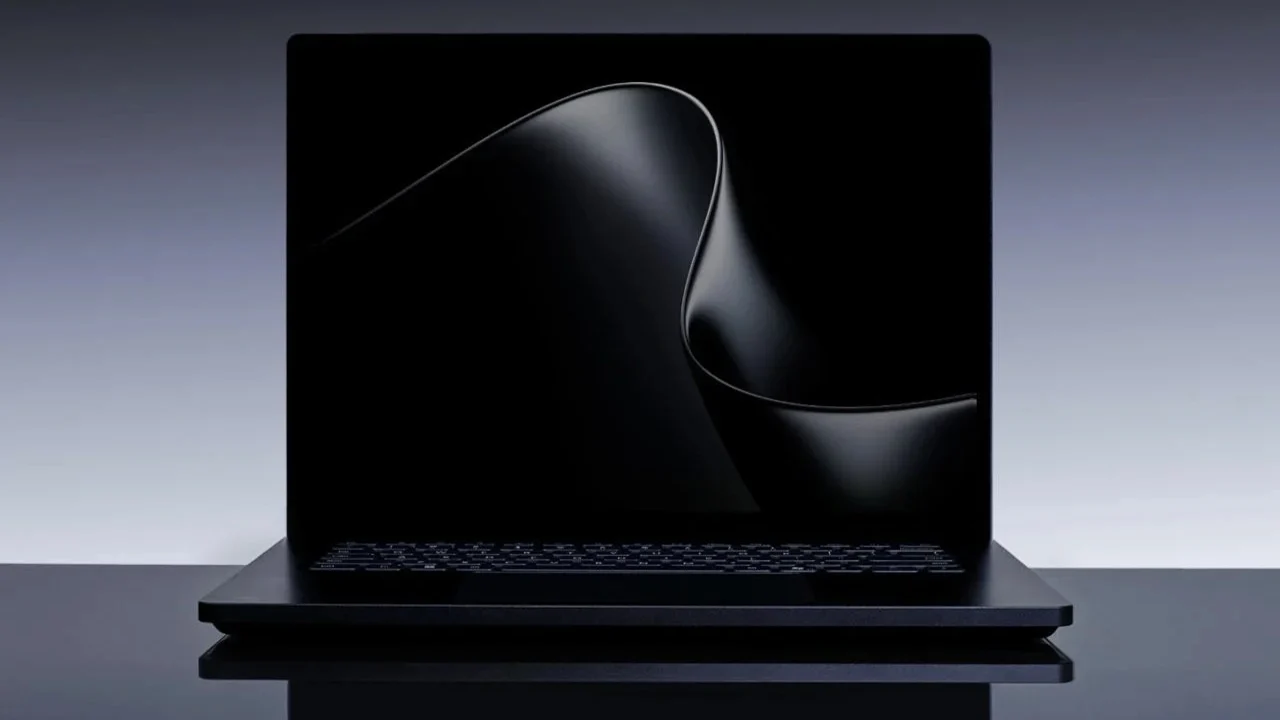
Microsoft held a Windows and Surface event in San Francisco on October 7, with Satya Nadella and NVIDIA’s Jensen Huang sharing the stage, which tells you immediately that this isn’t a routine laptop refresh. The headline device is the Surface Laptop Ultra, and after months of leaks, we finally know exactly what Microsoft built here. Preorders are live right now. Units start shipping October 16.
Here’s the part that surprised me most: this thing barely qualifies as a traditional laptop.
What’s Actually Inside
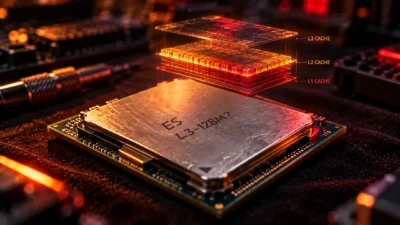
At the center of the Surface Laptop Ultra sits something called the RTX Spark Superchip, a joint effort between Microsoft and NVIDIA that pairs an Arm-based Grace CPU with Blackwell RTX graphics on a single piece of silicon, sharing one pool of unified memory between them. This isn’t a traditional “CPU talks to GPU over a bus” setup. It’s closer to how Apple’s M-series chips work, just built by NVIDIA instead.
The entry configuration runs an 18-core CPU paired with a 5,120-core Blackwell GPU and 24GB of shared memory. Step up to the higher tier and you get 20 cores, 6,144 GPU cores, and a genuinely absurd ceiling of 128GB of unified memory. Microsoft claims the whole package delivers up to 1 petaflop of AI compute, which is the kind of number that only means something once you see what it’s being used for.
And that’s the real story here. This laptop was built around AI workloads first, everything else second.
A Screen and Chassis That Actually Earn the “Ultra” Name
Putting the chip aside for a second, the hardware itself is genuinely interesting. You get a 15-inch PixelSense Ultra mini-LED touchscreen, HDR capable, reportedly hitting up to 2,000 nits at peak brightness with a pixel density around 262 ppi. The haptic touchpad is over 30% larger than what you’d find on a standard Surface Laptop.
Port selection includes three USB-C connectors, one USB-A, a full HDMI output, a full-size SD card reader, and a headphone jack — a genuinely generous selection for a laptop this thin. But the detail everyone’s talking about is one specific USB-C port that Microsoft is calling the world’s first breakaway USB-C connector.
Think MagSafe, but built into a standard USB-C port instead of a proprietary connector. Trip over the charging cable while your laptop’s sitting on a desk, and the cable pulls free instead of yanking the whole machine onto the floor. It’s a small thing. It’s also the kind of small thing that makes you wonder why nobody built it this way sooner.
Pricing: Not Cheap, But Not as Bad as the Leaks Suggested
Before the official reveal, leaked documents suggested top-tier configurations could run past $7,000. The real numbers landed lower. The base model starts at $2,599, getting you the 18-core chip, 24GB of memory, and 512GB of storage. The fully loaded version, with 128GB of memory and a terabyte of storage, tops out at $5,899.99.
There’s also a separate Surface RTX Spark Dev Box, a desktop-oriented device built around the same chip platform, starting at $5,999 for developers who want this compute power without needing it to be portable.
Both colorways, Platinum and Nightfall, are available across every configuration.
The Actual Pitch: Local AI Without the Cloud Bill
Microsoft spent a meaningful chunk of the keynote demonstrating something specific: running AI coding assistance locally, on-device, instead of routing every request to the cloud. During the demo, Windows and Devices lead Pavan Davuluri showed GitHub Copilot handling coding requests where some tasks ran locally on the laptop’s own GPU (flagged with a small green leaf icon in the interface) while heavier requests still went to the cloud.
Windows 11 is also getting something called Execution Containers, designed to sandbox AI coding agents so they can’t wander into parts of your system they shouldn’t touch. If you’ve ever been nervous about giving an AI agent too much access to your actual files, that’s clearly the anxiety Microsoft is trying to address here.
As a Copilot+ PC, the Surface Laptop Ultra gets the full suite of Windows 11’s AI features baked in, not bolted on after the fact.
Okay, But Can It Actually Game?
Here’s where it gets complicated, and where I think a lot of coverage is going to oversimplify things.
This is an Arm-based machine, not a traditional x86 Intel or AMD laptop. That used to be a dealbreaker for gaming on Windows. It’s less of one now, but it’s not nothing. Microsoft confirmed that Riot Games is bringing Valorant and League of Legends natively to Windows on Arm, which benefits this laptop specifically and other NVIDIA and Qualcomm-based Arm devices more broadly. At the event, the Surface Laptop Ultra was shown running Gears of War: E-Day at a smooth 60 frames per second, and Microsoft says “hundreds” of existing AAA and indie titles will work at launch, complete with ray tracing thanks to that Blackwell GPU underneath.
Call of Duty, notably, is not one of those day-one titles. Microsoft confirmed it’s coming to the RTX Spark platform, just not until 2027.
So: can it game? Clearly, yes, more capably than most Arm Windows devices before it. Is it the laptop you buy specifically to game on? Probably not yet, not while major franchises are still rolling out native support on a staggered timeline.
Who This Is Actually Built For
Reading between the lines of the launch event, this isn’t really competing with gaming laptops at all. It’s aimed squarely at developers, AI engineers, 3D artists, and creative professionals who need serious local compute and don’t want to be tethered to cloud billing for every AI task they run. Microsoft is positioning this directly against Apple’s MacBook Pro lineup in the premium creator-workstation space, and the port selection, unified memory architecture, and AI-first messaging all point in that direction.
If you’re a gamer specifically shopping for your next machine, I’d hold off and see how the Arm gaming library actually fills in over the next year. If you’re a developer who wants local AI compute without a monthly cloud bill eating into your budget, this is one of the more interesting machines to land in years.
Curious how this stacks up against a traditional gaming desktop build? Our beginner’s PC build guide is a good place to see what similar money gets you on the x86 desktop side.