DLSS vs FSR vs XeSS
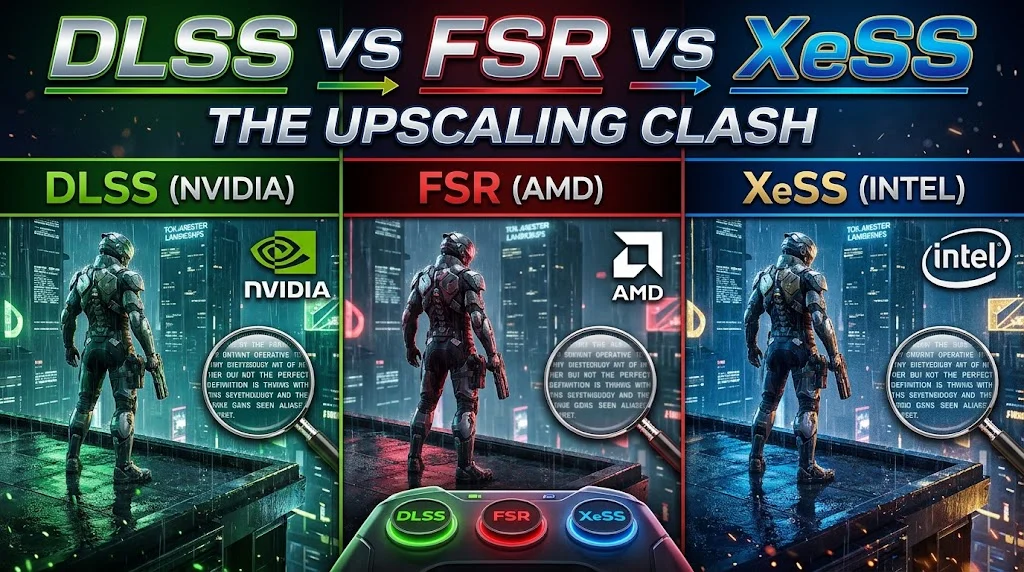
If you bought a graphics card in the last couple of years, the single most important feature it shipped with probably wasn’t the shader count or the memory bus width everyone argued about in the comments section. It was the upscaler. Every GPU vendor now renders your game at a lower internal resolution, then leans on a trained neural network to reconstruct something close to native-quality output — and the gap between doing that well and doing it badly is the entire DLSS versus FSR versus XeSS argument in a nutshell.
I’ll admit this used to be an easier topic to write about, back when DLSS was basically the only one worth taking seriously and FSR was the well-meaning open alternative that looked noticeably softer in motion. That gap has closed a lot faster than I expected. Let’s get into where things actually stand.
How this works, briefly, because it matters for what follows
Upscaling isn’t just stretching a smaller image up — it hasn’t worked that way for years now. The GPU renders at a lower resolution, then the upscaler analyzes motion vectors and depth data to mathematically rebuild fine detail: textures, thin geometry, edges. Render at 1080p and output to 4K, and your GPU is processing roughly a quarter of the pixels native 4K would demand, freeing up all that headroom for ray tracing and geometry instead. Done well, you genuinely can’t tell the difference from native. Done poorly, you get shimmer, smearing, and ghosting trails behind anything moving fast.
DLSS 4.5: still the one to beat, and now on more hardware than you’d think
Nvidia’s big move this generation was decoupling the Super Resolution transformer model from Blackwell-specific silicon, which sounds like a technical footnote but actually matters a lot. It means every RTX card, all the way back to a several-generations-old RTX 2060, can run the current DLSS 4.5 upscaler — not some watered-down version, the real thing. Where the hardware tiers actually kick in is frame generation: standard 2X Frame Generation needs an RTX 40-series card or newer, while Multi Frame Generation, which can push up to 6X, is walled off entirely to RTX 50-series cards, since it leans on the 5th-generation Tensor Cores and Optical Flow improvements specific to Blackwell.
The quality gap is real, too, not just marketing. A blind test run by the German outlet ComputerBase across a batch of 2026 titles — Anno 117, ARC Raiders, Assassin’s Creed Shadows, and Call of Duty: Black Ops 7 among them — found DLSS 4.5 pulling in nearly half of all votes, ahead of both native TAA rendering and FSR combined. That’s a genuinely striking result for a blind comparison. Game support has grown to match: Nvidia’s own count puts Super Resolution in over 400 titles now, with frame generation support past 250.
FSR: the gap closed, but it’s tiered in a way people don’t always realize
AMD’s story this year is the one I find most interesting, honestly. FSR 4 — now folded into a broader suite AMD calls FSR Redstone — has genuinely made the jump to machine-learning-based reconstruction, and it’s a real leap from the temporal-only approach older FSR versions used. The catch, and it’s a meaningful one, is that the full ML pipeline — the good stuff, plus features like Ray Regeneration and Radiance Caching — only runs on Radeon RX 9000-series cards. Everything older falls back to FSR 3.1-level reconstruction, which is a noticeably different experience.
The upside to FSR that DLSS still can’t match is reach. A lighter FSR 4.1 tier runs across older Radeon generations, Nvidia GeForce cards down to GTX-tier hardware, Intel Arc, and even integrated graphics, since it’s an open standard rather than something locked to specific silicon. If you’re on a GPU that doesn’t support DLSS at all, FSR is usually your fallback, and it can even be force-injected into games that never officially added it, through third-party tools like Lossless Scaling. AMD’s put real numbers behind adoption too — FSR Redstone had crossed 200 supported games by the end of 2025, and community tracking has that figure past 300 by the middle of this year.
Where FSR still trails DLSS is in the toughest scenarios: aggressive Performance-mode scaling and the hardest disocclusion cases, where objects get revealed from behind other objects and the algorithm has to reconstruct detail it never actually saw. In Quality mode on relatively static scenes, the two are close enough that I don’t think most people would reliably pick DLSS in a blind side-by-side. Push into Performance mode, and the difference reopens.
XeSS: genuinely good, but only if you know which path you’re on
Intel’s XeSS gets talked about the least of the three, which is a little unfair given how far it’s come, but it also has the most confusing hardware story. XeSS 2 runs on two distinct paths: the XMX path, which is exclusive to Intel Arc cards and delivers the sharpest results, and the DP4a path, a more broadly compatible fallback that runs on non-Intel GPUs but produces visibly softer output — testing has flagged noticeable blur on thin objects, like fence lines or foliage, specifically on that shader-based DP4a route.
If you own an Arc Battlemage card, use the XMX path and don’t think twice about it. If you’re on Nvidia or AMD hardware and a game only offers XeSS, the DP4a fallback is perfectly usable, just don’t expect it to outduel DLSS or FSR 4’s ML path on the same hardware.
So which one should you actually pick?
Mostly, this decision makes itself based on the card you already own, which is honestly a relief compared to a couple of years ago. RTX 50-series owners should default to DLSS 4.5 with Multi Frame Generation — it’s the most complete package on the market right now, full stop. RX 9000-series owners get a genuinely modern, ML-grade experience out of FSR 4 and shouldn’t feel like they’re settling. Arc Battlemage owners should lean on XeSS 2’s XMX path. And if you’re on older or mixed hardware, FSR’s broader compatibility makes it the sensible universal fallback when a game doesn’t support whatever your primary GPU vendor offers.
One practical rule that applies across all three, regardless of which you’re using: only turn on frame generation once your baseline frame rate is already solid, ideally somewhere north of 60 FPS before you enable it. Frame generation smooths out an already-good experience. It doesn’t fix a genuinely rough one — turning it on at 30 FPS mostly just adds input lag on top of a game that was already struggling.
The bottom line
The upscaling landscape in 2026 is healthier than it’s ever been, and that’s not just a nice thing to say — it’s genuinely true. DLSS still leads on outright image quality and game count, but the margin over FSR 4 has narrowed to the point where, for most people on Radeon hardware, it’s simply not worth feeling like you picked the wrong team. Set your quality mode based on your resolution, save frame generation for when your base frame rate can support it, and let the GPU you already own make most of this decision for you.