Just plug in an Ethernet cable” has been gaming advice so universal it barely needed justification. Ask literally anyone in a competitive Discord server about lag and that’s the first thing they’ll tell you. But Wi-Fi 7 has actually closed a real gap this year, and I think it’s worth asking honestly whether the old advice still holds, rather than just repeating it because it’s always been true.
Why Ethernet became the default answer in the first place
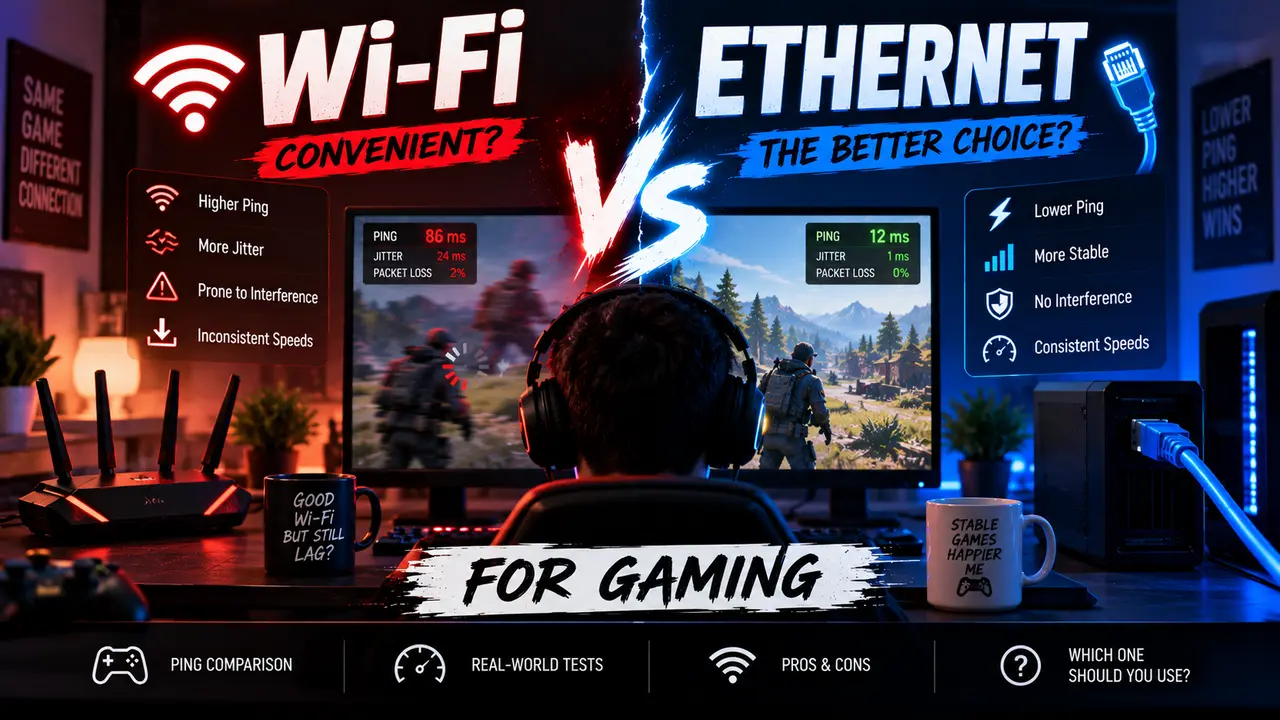
The case for Ethernet was never really about raw speed, even though that’s how the debate usually gets framed. It’s about consistency. A wired connection runs a direct physical path from your router to your device — no walls to pass through, no crowded 2.4GHz channel to fight your neighbor’s router over, no microwave briefly wrecking your signal when someone heats up leftovers mid-match. That directness is what actually mattered: not just low latency in a single measurement, but latency that stays low and predictable match after match, whether it’s noon or peak-usage hour on a Friday night.
Wi-Fi, even good Wi-Fi, has historically struggled with exactly that consistency. You could get a great ping reading standing next to the router and a noticeably worse one from the bedroom down the hall, and that variability — jitter, in networking terms — is often more disruptive in competitive play than a slightly higher but stable baseline latency would be.
What Wi-Fi 7 actually changed
Wi-Fi 7 isn’t just a marketing refresh of Wi-Fi 6E — the underlying tech genuinely moved. Intel’s own figures put real-world Wi-Fi 7 speeds around 5.8 Gbps, more than double Wi-Fi 6’s roughly 2.4 Gbps, and claim latency reductions of around 60 percent compared to the previous generation. A lot of that comes down to two specific features: Multi-Link Operation, which lets a device send and receive across multiple frequency bands simultaneously instead of committing to just one, and much wider 320MHz channels on the 6GHz band, which gives your traffic considerably more room to breathe before it starts competing with other devices for space.
The practical effect, according to testing done across several outlets this year, is that Wi-Fi 7 has pushed the wireless-to-wired latency gap down into single-digit-millisecond territory under good conditions — a real improvement over Wi-Fi 6E, which could still show noticeable jitter from something as mundane as a neighbor’s overlapping channel or someone else in the house streaming video at the same time.
But the gap hasn’t actually closed, it’s just gotten smaller
Here’s where I’d push back a little on the more breathless “Wi-Fi 7 makes Ethernet obsolete” coverage that’s floated around this year. Multiple independent tests still put Ethernet at a consistent 1 to 3 millisecond latency, against Wi-Fi 7 landing somewhere in the 3 to 8 millisecond range even under favorable conditions. That’s a real, measurable gap — just a much smaller one than the 10-to-20-millisecond difference wireless used to carry against wired in earlier Wi-Fi generations.
Whether that remaining few milliseconds actually matters depends entirely on what you’re playing. In a slower-paced game, or really anything outside twitch-reflex competitive genres, a handful of extra milliseconds is imperceptible against everything else already sitting in the latency chain — your monitor’s response time, your controller or mouse’s own input lag, the physical distance to the game server itself. In genuinely competitive shooters and fighting games, where split-second reactions are the entire point, that same small gap is exactly the kind of thing serious players notice and actively try to eliminate.
The bottleneck people blame Wi-Fi for is often somewhere else entirely
This is worth saying plainly, because it gets lost in the wired-versus-wireless argument constantly: for a lot of players, the home network isn’t actually where the lag is coming from. The physical distance between you and the game server, general internet congestion during peak hours, and something called bufferbloat — essentially your router queuing up too much data and introducing delay before it even gets sent out — can all cause the exact same symptoms people usually blame on Wi-Fi. Switching to Ethernet won’t fix any of those, because they’re not wireless problems in the first place. If you’re seeing consistent lag spikes, it’s worth running an actual latency and jitter test before assuming a cable alone will solve it — sometimes the fix is proper router queue management or a better ISP plan, not a new networking standard at all.
A practical way to actually decide
If you play ranked competitive shooters, fighting games, or anything else where split-second timing genuinely decides matches, stick with Ethernet. The remaining few milliseconds of consistency advantage is real, it’s measurable, and in that specific context, it’s worth the inconvenience of running a cable.
If your gaming is mostly single-player, co-op, slower-paced multiplayer, or casual competitive play where you’re not chasing every last millisecond, a solid Wi-Fi 7 setup — or even a well-placed Wi-Fi 6E router — is genuinely good enough now in a way it wasn’t a couple of generations ago. The old blanket advice to always run a cable no matter what you’re playing doesn’t really hold up against current hardware the way it used to.
If running a physical cable to your setup isn’t practical — a bedroom on the opposite end of the house from the router, a rented apartment where drilling through walls isn’t an option — a modern Wi-Fi 7 router with 6GHz band support and Multi-Link Operation is a legitimately solid fallback, not the compromise it would’ve been even two or three years ago. Just be realistic about what it can and can’t close the gap on: it’ll get you close to wired performance, not identical to it.
A few practical tips regardless of which you pick
If you do end up on Wi-Fi, a handful of basics still matter more than the standard itself: keep the router in an open space rather than tucked behind furniture or inside a cabinet, keep its firmware updated, and connect specifically to the 6GHz band where your router and device both support it, since that band tends to carry far less neighborhood interference than the older 2.4GHz and 5GHz bands. And regardless of wired or wireless, decent router-level queue management, sometimes labeled QoS or gaming mode in your router’s settings, does more to tame lag spikes under load than most people give it credit for.
At The End
Ethernet hasn’t been dethroned, but the margin has shrunk enough that “always use a cable, no exceptions” is no longer universally good advice the way it was a few years back. For serious competitive play, the wire still wins, clearly and measurably. For nearly everyone else, a genuinely well-configured Wi-Fi 7 setup has closed the gap to the point where the inconvenience of running a cable across your house may not be worth it anymore. Figure out which category you’re actually in before you decide, rather than just following advice that used to be universally true and might not be anymore.