PCIe 5.0 vs PCIe 4.0: Does It Actually Matter for Gaming?
If you are building a gaming PC in 2026, you have probably seen PCIe 5.0 mentioned on newer motherboards, graphics cards, and NVMe SSDs.
The numbers look impressive.
PCIe 5.0 offers twice the signaling rate of PCIe 4.0. On paper, that sounds like your games should load faster and your GPU should deliver more FPS.
But does that actually happen?
For most gamers, not really.
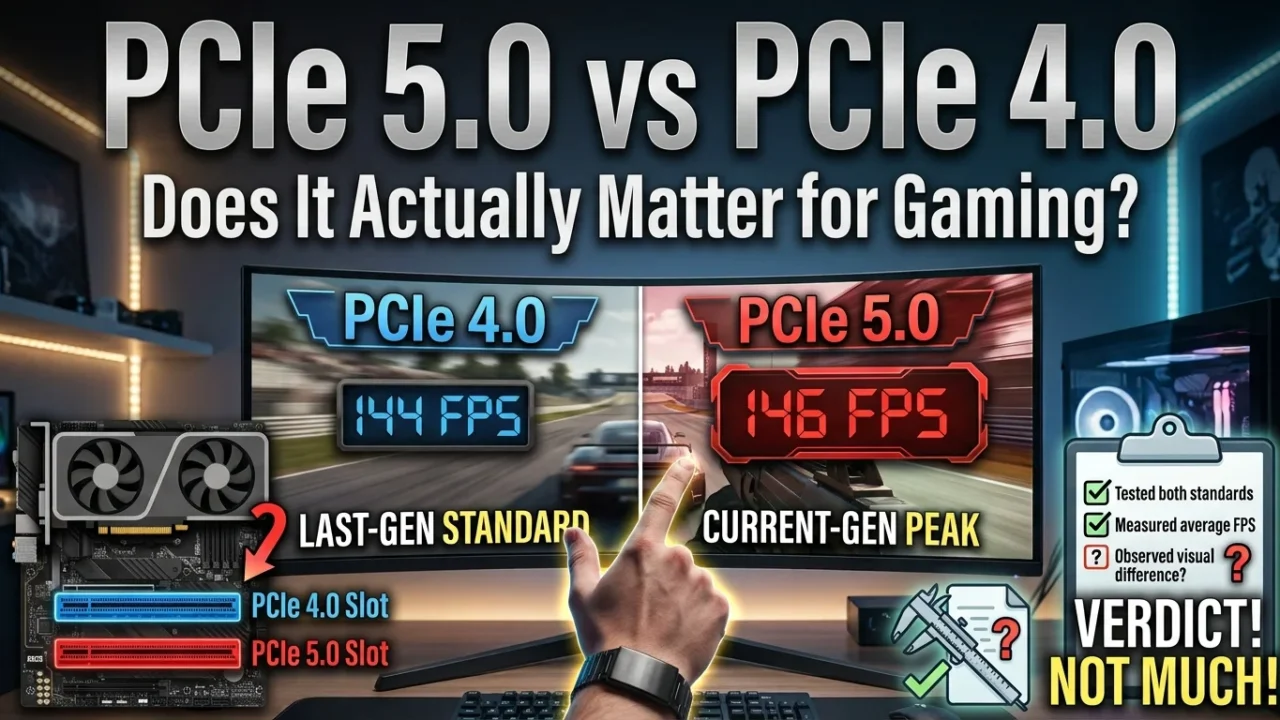
PCIe 5.0 is faster technology, but that does not mean every gaming PC will become faster simply because it uses it. In many games, a good PCIe 4.0 setup performs almost identically to a PCIe 5.0 setup.
That makes this an interesting question if you are planning a new PC.
Should you spend more on PCIe 5.0? Or is PCIe 4.0 still the better choice for gaming?
Let’s break it down.
PCIe 4.0 vs PCIe 5.0: What’s the Difference?
PCIe stands for Peripheral Component Interconnect Express. It is the high-speed connection used by your motherboard to communicate with components such as your graphics card, NVMe SSD, network cards, and other expansion devices.
PCIe comes in different generations.
Each new generation increases the amount of data that can move through each lane.
PCIe 4.0 supports 16 GT/s per lane, while PCIe 5.0 increases that to 32 GT/s per lane. In other words, PCIe 5.0 doubles the signaling rate of PCIe 4.0.
The practical bandwidth also doubles.
A PCIe 4.0 x16 connection provides roughly 32 GB/s of bandwidth in each direction, while PCIe 5.0 x16 can provide roughly 64 GB/s.
For NVMe SSDs, the common x4 configuration provides roughly 8 GB/s with PCIe 4.0 and around 16 GB/s with PCIe 5.0.
| Feature | PCIe 4.0 | PCIe 5.0 |
|---|---|---|
| Signaling rate | 16 GT/s | 32 GT/s |
| Approx. x4 bandwidth | 8 GB/s | 16 GB/s |
| Approx. x16 bandwidth | 32 GB/s | 64 GB/s |
| Common SSD use | x4 | x4 |
| Common GPU configuration | x16 | x16 |
| Backward compatible | Yes | Yes |
| Gaming advantage today | Excellent | Usually small |
So there is no question that PCIe 5.0 is technically faster.
The real question is whether your games can use that extra bandwidth.
Does PCIe 5.0 Increase Gaming FPS?
This is where things get interesting.
PCIe 5.0 does not automatically give your GPU more FPS.
Your graphics card still has the same GPU cores, VRAM, memory bandwidth, clocks, and processing capabilities. Changing the PCIe generation does not increase those specifications.
Think of PCIe as a highway.
PCIe 4.0 gives your hardware a wide highway. PCIe 5.0 gives it an even wider one.
But if your traffic only uses half of the PCIe 4.0 highway, making the highway twice as wide won’t make the cars travel twice as fast.
The same idea applies to gaming.
Intel notes that the higher bandwidth offered by newer PCIe generations can help move data between the CPU and GPU, but real-world gaming benefits have generally been small with current graphics hardware.
That means you should not expect a major FPS increase simply by moving a graphics card from PCIe 4.0 x16 to PCIe 5.0 x16.
If your game currently runs at 100 FPS, PCIe 5.0 is not going to magically turn it into 140 FPS.
Your GPU is still the GPU.
What About High-End Graphics Cards?
You might be thinking about something different if you are building an expensive gaming PC.
Surely a powerful high-end GPU needs PCIe 5.0?
Not necessarily.
Modern GPUs can be extremely powerful, but gaming workloads do not always require the enormous amount of PCIe bandwidth available through an x16 connection.
This is why the difference between PCIe 4.0 and PCIe 5.0 can be surprisingly small in real gaming.
If your graphics card is running at PCIe 4.0 x16 and your game is GPU-limited, upgrading the PCIe connection does not remove the actual bottleneck.
You would get a much bigger improvement by upgrading the GPU itself.
For example, if you are choosing between spending extra money on a PCIe 5.0 motherboard or putting that money toward a better graphics card, the faster GPU is usually the more useful gaming upgrade.
That is where your money matters.
What Happens With PCIe 5.0 SSDs?
This is where PCIe 5.0 gets more interesting.
PCIe 5.0 NVMe SSDs can offer extremely high sequential read and write speeds. Some high-end drives can reach well over 10 GB/s in sequential workloads.
A good PCIe 4.0 SSD is already very fast, though.
Many high-end PCIe 4.0 drives can deliver around 7 GB/s of sequential read performance. A PCIe 5.0 drive can roughly double that theoretical interface bandwidth.
So you might look at the specifications and think:
“If my SSD is twice as fast, my games should load twice as quickly.”
Unfortunately, it doesn’t work that way.
Game loading involves much more than raw SSD speed.
The game engine has to locate files, process data, decompress assets, communicate with the CPU, prepare resources, and send them where they are needed.
The SSD is only one part of that process.
PCIe 5.0 vs PCIe 4.0 SSD: Game Loading
Real-world testing shows why this matters.
TechSpot tested multiple generations of SSDs across several games, including newer titles that use technologies such as DirectStorage. The results showed that differences between PCIe SSD generations were often surprisingly small.
In Black Myth: Wukong, for example, moving from a PCIe 3.0 QLC SSD to a PCIe 5.0 TLC SSD reduced the initial loading time by about 10%.
That sounds useful.
But remember what is being compared.
That’s PCIe 3.0 to PCIe 5.0.
The difference between a good PCIe 4.0 SSD and a PCIe 5.0 SSD is generally much harder to notice during normal gaming.
Other testing has found similar results. In games such as Cyberpunk 2077 and Horizon Forbidden West, moving between PCIe storage generations produced little or no meaningful FPS difference.
So if you already have a good PCIe 4.0 NVMe SSD, don’t expect a PCIe 5.0 drive to transform your gaming experience.
What About DirectStorage?
DirectStorage is one reason people are paying more attention to SSD performance.
The technology is designed to make it easier for games to stream data from fast storage and reduce some of the traditional overhead involved in loading game assets.
That could become increasingly important as games become larger and more detailed.
Modern games already have enormous installation sizes. Open-world games can constantly stream textures, models, audio, and other assets as you move through the world.
So could PCIe 5.0 become more useful in the future?
Absolutely.
But there is a difference between having more available bandwidth and actually needing that bandwidth today.
Intel has pointed out that technologies such as DirectStorage could make faster storage more useful as developers take greater advantage of modern SSDs.
For now, though, most games do not come close to turning PCIe 5.0’s theoretical bandwidth into a huge real-world advantage.
Does PCIe 5.0 Improve Texture Streaming?
This is another area where things can get confusing.
You might assume that a faster SSD should always make open-world games stream textures more quickly.
Sometimes faster storage can help.
But the game engine still has to process those assets.
Your CPU, RAM, GPU, VRAM, storage controller, and game engine all have a role.
If the bottleneck is CPU processing or asset decompression, giving the SSD more bandwidth doesn’t solve the problem.
It’s similar to downloading a file.
Having a 10 Gbps internet connection is great. But if the server can only send the file at 2 Gbps, your faster connection doesn’t matter.
The same principle applies inside your PC.
PCIe 5.0 Can Be Faster Outside Gaming
This is where PCIe 5.0 becomes much easier to justify.
If you regularly work with huge files, the extra bandwidth can save time.
Think about:
- 4K and 8K video editing
- Large project files
- 3D rendering workflows
- Large datasets
- Professional content creation
- Frequent multi-gigabyte file transfers
- Heavy storage workloads
If you move 100 GB files regularly, the difference between a fast PCIe 4.0 SSD and a PCIe 5.0 SSD can become much more useful.
You can actually see the advantage in workloads that are capable of using the additional sequential bandwidth.
For a gaming PC, though, your SSD usually spends most of its time doing much less demanding work.
PCIe 5.0 SSDs Also Run Hotter
There is another thing you should consider before buying a PCIe 5.0 SSD.
Heat.
High-end PCIe 5.0 SSDs can produce significant heat during sustained workloads.
That’s not surprising.
You are pushing much more data through the drive and controller.
Some PCIe 5.0 drives therefore use large heatsinks or more serious cooling solutions.
Testing from Digital Citizen found a PCIe 5.0 SSD running at a higher maximum temperature than when operating under PCIe 4.0 conditions.
For most gaming PCs, this isn’t a deal-breaker.
Modern motherboards often include M.2 heatsinks.
Still, it is something worth remembering.
A PCIe 4.0 SSD can be extremely fast while remaining easier to cool. If the PC is primarily for gaming, that can make a good Gen 4 SSD a very sensible choice.
Is PCIe 4.0 Still Good for Gaming in 2026?
Yes.
Very much so.
There is sometimes a feeling that older hardware becomes useless as soon as a new standard arrives.
PCIe 4.0 is not in that category.
It is still fast.
A quality PCIe 4.0 NVMe SSD provides more than enough performance for the vast majority of gaming PCs.
And for graphics cards, PCIe 4.0 x16 offers a lot of bandwidth.
If you already own a PCIe 4.0 gaming PC, you don’t need to replace your motherboard just because PCIe 5.0 exists.
Spend that money somewhere else.
Maybe you need a better GPU.
Maybe you need more RAM.
Maybe your CPU is holding back your high-refresh-rate monitor.
Those upgrades can make a much bigger difference.
Should You Buy a PCIe 5.0 Motherboard for a New Gaming PC?
If you’re building a completely new PC, the answer depends on the rest of the system.
If the motherboard you want already includes PCIe 5.0 at a reasonable price, there is little reason to avoid it.
It gives you more bandwidth and better upgrade flexibility.
PCIe 5.0 is also backward compatible with previous PCIe generations, so you can still use PCIe 4.0 devices.
That’s useful.
You could build a new system with a PCIe 5.0 motherboard, install a PCIe 4.0 SSD today, and move to a faster PCIe 5.0 drive later if you actually need one.
But don’t spend hundreds more just to get the PCIe 5.0 label.
If the extra money means you have to downgrade your GPU, that’s usually a bad trade for a gaming-focused machine.
PCIe 5.0 vs PCIe 4.0 for Different Gamers
Your choice becomes easier when you look at how you actually use your PC.
Budget Gaming PC
PCIe 4.0 wins.
You should prioritize your graphics card, CPU, RAM, and a reliable SSD.
There’s little reason to spend extra on PCIe 5.0 storage if doing so forces you to compromise elsewhere.
1080p Gaming
PCIe 4.0 is more than enough.
At 1080p, your CPU and GPU balance often matters much more.
If you’re chasing 144Hz, 240Hz, or higher refresh rates, put your money toward the components that actually affect frame rates.
1440p Gaming
Again, PCIe 4.0 is the sensible choice for most people.
A good Gen 4 NVMe SSD will give you fast loading and a responsive system.
4K Gaming
The same basic rule applies.
At 4K, the GPU is usually doing a lot of the heavy lifting.
PCIe 5.0 does not suddenly make a graphics card render more pixels.
Enthusiast PC
This is where PCIe 5.0 starts making more sense.
If you are already buying a high-end platform and want the newest connectivity, PCIe 5.0 is worth having.
You’re paying for flexibility and bandwidth headroom.
Just don’t expect a massive FPS increase from it.
PCIe 5.0 vs PCIe 4.0: Which One Should You Choose?
Here’s the simple version.
| Your Situation | Better Choice |
|---|---|
| Budget gaming PC | PCIe 4.0 |
| Mainstream gaming | PCIe 4.0 |
| 1080p gaming | PCIe 4.0 |
| 1440p gaming | PCIe 4.0 |
| 4K gaming | PCIe 4.0 or 5.0 |
| New high-end PC | PCIe 5.0 |
| Professional workstation | PCIe 5.0 |
| Large file transfers | PCIe 5.0 |
| Existing PCIe 4.0 PC | Keep it |
| Upgrading only for FPS | Not worth it |
There is one rule I would follow above everything else:
Don’t buy PCIe 5.0 just because the number is bigger.
Look at the complete system.
What Should You Spend Your Money On Instead?
Let’s say you have an extra $100 to spend on your new gaming PC.
You could use it for a PCIe 5.0 SSD.
Or you could put that money toward a better graphics card.
For most gamers, I’d take the GPU upgrade.
The same applies to the CPU.
If your processor is limiting your performance in competitive games, a better CPU can have a much larger impact than moving from PCIe 4.0 to PCIe 5.0.
You should always ask:
What is actually slowing down my PC?
That’s a better question than simply asking which specification is newer.
Is PCIe 5.0 Future-Proof?
To a certain extent.
PCIe 5.0 gives you more bandwidth for future devices.
That could become important as GPUs, SSDs, and other hardware become faster.
We have already seen the PCIe standard evolve from one generation to the next as hardware demands increase. PCI-SIG designed PCIe 5.0 specifically to double the bandwidth of PCIe 4.0 and continue scaling the interface for newer workloads.
But nobody can tell you exactly when gaming will require PCIe 5.0 bandwidth.
Maybe future game engines will make better use of extremely fast storage.
Maybe asset streaming will become much more demanding.
Maybe new GPU architectures will benefit more from additional PCIe bandwidth.
Those are possibilities.
They aren’t reasons to overspend today.
Should You Upgrade From PCIe 4.0 to PCIe 5.0?
If you’re already using PCIe 4.0, I wouldn’t upgrade just for gaming.
There’s no good reason to replace a perfectly capable motherboard and SSD if your only goal is getting more FPS.
Use the money elsewhere.
Upgrade your GPU if you’re GPU-limited.
Upgrade your CPU if you’re CPU-limited.
Add RAM if you need more memory.
Get a larger SSD if you’re constantly running out of space.
Those are upgrades you’ll actually feel.
The Bottom Line
So, PCIe 5.0 vs PCIe 4.0: does it actually matter for gaming?
For most gamers, PCIe 4.0 is still enough.
PCIe 5.0 doubles the signaling rate and offers twice the theoretical bandwidth of PCIe 4.0. That’s a major technical improvement.
But your games don’t automatically become twice as fast.
A PCIe 5.0 graphics card connection doesn’t mean twice the FPS. A PCIe 5.0 SSD doesn’t mean games load twice as quickly.
Real-world testing backs this up. Modern games can benefit from fast SSD storage, but moving from one PCIe generation to another often produces only small differences in loading times, while actual FPS is generally unaffected.
If you’re building a new high-end gaming PC, PCIe 5.0 is a nice feature to have.
If you’re building on a budget, PCIe 4.0 is still the smarter value.
And if you already have a good PCIe 4.0 system?
Keep it.
Your next gaming upgrade probably isn’t hiding in the PCIe specification.
It’s probably in your GPU, CPU, RAM, or monitor.