How to Choose the Right PSU Wattage for Your Build
Of all the parts on a build sheet, the power supply is the one people either obsess over or completely ignore — and weirdly, both instincts come from the same place: nobody ever actually explains the math. So you get folks buying a 1000W unit for a system that needed 550, right next to folks who squeak by on something undersized and then can’t figure out why their PC randomly reboots mid-raid. Let’s actually walk through it.
Your GPU decides almost everything, so start there
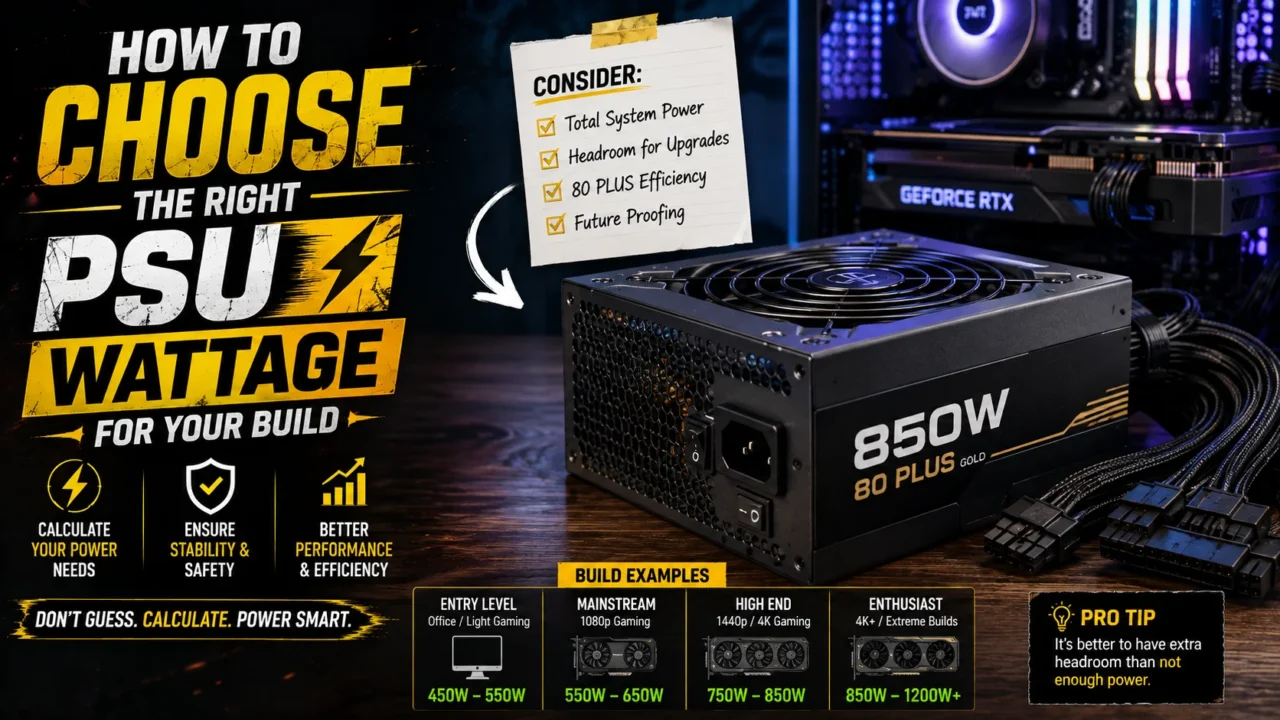
The graphics card is, by a wide margin, the hungriest single thing in a modern gaming rig, so that’s where sizing has to begin. Nvidia actually publishes official minimums for the current RTX 50-series lineup, and they’re a decent anchor: 550W for the RTX 5060, 600W for the 5060 Ti, 650W for the 5070, 750W for the 5070 Ti, 850W for the 5080, and a full 1000W for the 5090. Those numbers already assume a high-end CPU sitting next to the card, so if you’re running something more modest, you’ve got real margin already baked in — you’re not starting from zero.
AMD tells a similar story on its side. The RX 9070 XT lists a board power around 304W on paper, though testing from outlets like TechPowerUp has caught real-world spikes pushing past 400W on certain cards, which is why 750W gets treated as the practical floor and 850W as the number you actually want. And a small warning here: some factory-overclocked variants — PowerColor’s Red Devil edition being the obvious example — have shipped with box recommendations as high as 900W. Read the specific card’s own documentation, not just whatever number gets repeated for the reference model, especially if you’ve got your eye on a heavily tuned AIB card.
Why simple addition lies to you
Here’s where a lot of first-time builders trip up, and honestly I get why. Add up your GPU’s rated draw and your CPU’s TDP, and you get a number that looks perfectly reasonable — except it doesn’t match how the system actually behaves once you’re gaming. Modern GPUs don’t pull power steadily. They spike, hard, for fractions of a second at a time. TechPowerUp has recorded RTX 5090 transient spikes hitting 901W for under a millisecond, well past the card’s official 575W rating. An undersized PSU can trip its over-current protection during one of those blips and shut the whole system down — even though average draw across that same second was perfectly within spec.
So no, the padded-looking recommendations aren’t marketing fluff. They’re headroom for spikes that last milliseconds but happen constantly, every time a frame gets rendered under load.
Aim for the 50-to-80% zone, not the ceiling
Once you’ve got a rough sense of your total draw, there’s a rule worth internalizing: PSUs run most efficiently, coolest, and quietest somewhere in the 50 to 80 percent load range — not maxed out near their rated ceiling. A unit screaming along at 95 percent works its fan harder, runs hotter, and generally doesn’t age as gracefully as one sitting comfortably in the middle. If your system’s realistic peak draw is around 500W, a 650W PSU is going to treat you better than a 550W one running uncomfortably close to its limit.
That said — and I’ll push back on myself here a bit — don’t take this logic too far in the other direction either. Buying way more capacity than you’ll actually use, in the name of “future-proofing,” sounds smart until you realize a PSU sized to what you actually need, replaced when you actually upgrade your GPU, is usually the saner long-term call anyway. A 1000W unit idling at 30 percent load isn’t dangerous. It’s just money spent on headroom you’re not using yet.
The connector thing nobody warns you about until it’s a problem
If you’re running anything from Nvidia’s RTX 50-series, or a higher-end AMD card, you’ll run into the 12V-2×6 connector — the revised, safer successor to the original 12VHPWR standard that got a rough reputation last generation for occasionally melting under sustained heavy load. The safe move is a PSU with a native 12V-2×6 cable from the manufacturer, rather than a four-plug adapter bridging older 8-pin connectors up to the new standard. Adapters aren’t inherently dangerous, exactly, but a poorly seated one is one of the more common causes of connector failure people report, and a native cable just removes that risk from the equation entirely.
This is also why the ATX 3.0 and 3.1 standards matter more than they might look like on a spec sheet. Units built to those specs are explicitly designed to absorb the transient spikes modern GPUs throw off, in a way older ATX 2.x units simply weren’t engineered to handle. Buying new for a current-gen card? Treat ATX 3.0 or newer as the baseline, not a fancy add-on.
Don’t skip past the efficiency rating either
The 80 Plus certification — Bronze, Gold, Platinum, Titanium — tells you how much of the power pulled from your wall outlet actually makes it to your components versus getting lost as heat. Gold is the sweet spot for most people: a meaningful step up from Bronze without the price jump that Platinum and Titanium units carry. If you’re building something genuinely power-hungry — think a 1200W-plus rig pairing an RTX 5090 with a high-core-count CPU — stepping up to Platinum starts paying for itself, since the efficiency gains actually compound at higher sustained loads.
A quick example, because abstract math never sticks
Say you’re building around an RTX 5070 — roughly 250W under load — paired with a mid-range CPU pulling around 90W, plus another 60W or so for the motherboard, drives, RAM, and fans. That puts you around 400W of realistic system draw. Tack on the recommended 30 to 50 percent headroom for spikes and a little future flexibility, and you land somewhere between 550W and 650W. Which, notice, lines up almost exactly with Nvidia’s own 650W recommendation for that card. Not a coincidence — that’s the same math the manufacturers are already running on their end.
Where that leaves you
Skip the urge to just eyeball a round number that feels safe. Start from your GPU’s official recommendation, sanity-check it against real spike behavior if you’re running anything power-hungry, keep your target load in that 50-to-80 percent comfort zone, and don’t cheap out on the connector or efficiency tier if your card actually demands a modern one. Nail those and the power supply becomes exactly what it should be — the most forgettable, boring part of the whole build. Which, for a PSU, is the highest compliment there is.