Mini-LED vs. QD-OLED Monitors: Which Technology Fits Your Desk Setup?
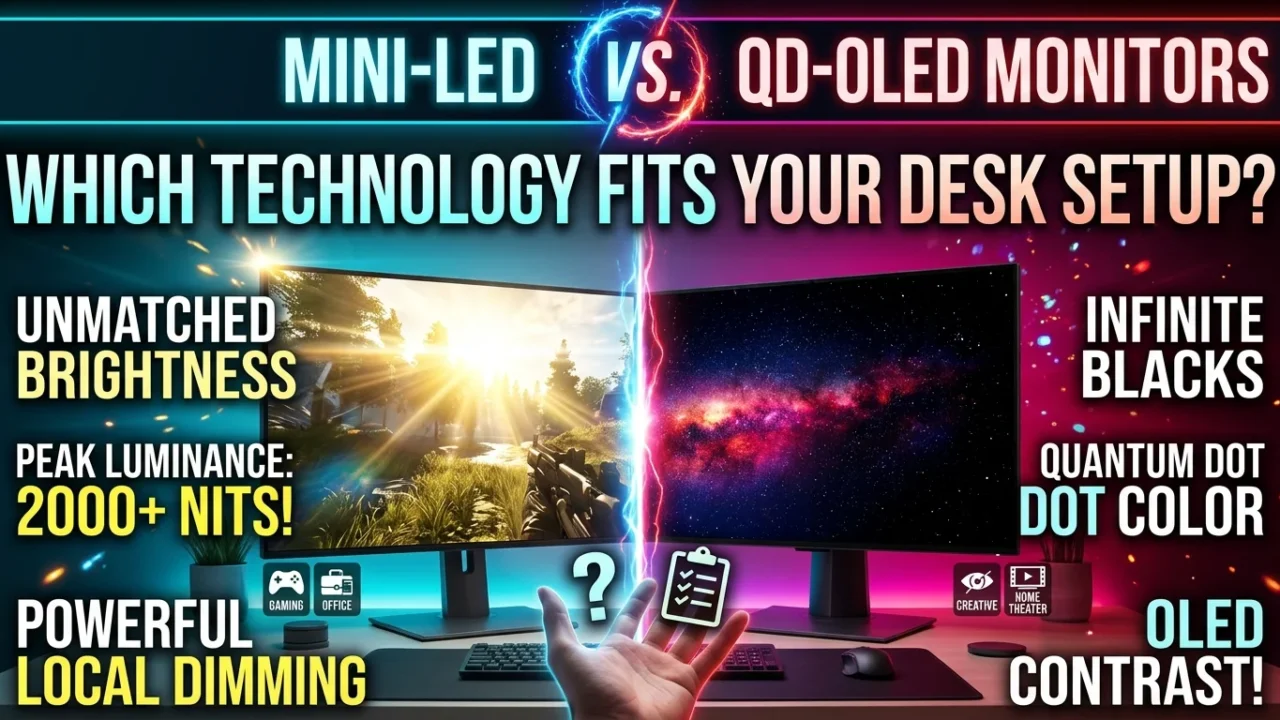
If you are torn between buying a Mini-LED or QD-OLED monitor, the decision comes down to your room lighting and daily usage habits: Choose QD-OLED if you game in a dark or light-controlled room and prioritize instant pixel response and infinite contrast. Choose Mini-LED if your desk sits in a bright room with natural daylight or if you spend hours working with static desktop applications and spreadsheets without worrying about burn-in.
Both display technologies represent the current peak of PC gaming displays, but they deliver high dynamic range (HDR) performance in entirely different ways. Below is a practical breakdown based on display testing and real-world desk setups to help you invest in the right panel.
How Mini-LED Works: Brute Force Luminance & Local Dimming
Mini-LED is an advanced evolution of traditional LCD technology. Instead of using a handful of large edge-lit LEDs to illuminate the screen, a Mini-LED display packs thousands of microscopic LEDs into a Full-Array Local Dimming (FALD) backlight grid behind a Quantum Dot layer.
-
Local Dimming Zones: High-end Mini-LED monitors feature anywhere from 576 to over 2,048 individual dimming zones. These zones turn off or dim independently in dark areas of an image while firing at maximum brightness in bright spots.
-
Inorganic Backlight: Because Mini-LED relies on traditional inorganic LEDs, the panel suffers zero risk of permanent image retention or burn-in, regardless of how many hours you leave static UI elements on screen.
The primary strength of Mini-LED is sustained raw output. When watching outdoor game scenes in Cyberpunk 2077 or Flight Simulator, a top-tier Mini-LED panel can blast full-screen brightness levels over 1,000 nits that OLED displays simply cannot match.
How QD-OLED Works: Self-Emissive Pixels & Quantum Dots
Quantum Dot OLED (QD-OLED) combines self-emissive organic light-emitting diodes with a Quantum Dot layer. Unlike traditional W-OLED panels that filter white light through color filters, QD-OLED converts blue OLED light directly into red and green using quantum dots.
-
Per-Pixel Dimming: Every single pixel on a 4K QD-OLED panel (roughly 8.3 million pixels) acts as its own light source and dimming zone. When a pixel renders true black, it turns off completely (0.00 nits).
-
Instant Pixel Response: Because there is no physical liquid crystal layer to rotate, QD-OLED pixels transition states in 0.03ms (Gray-to-Gray), virtually eliminating ghosting and motion blur.
This per-pixel control delivers unmatched visual pop in dark titles like Alan Wake 2 or Dead Space, where bright highlights sit directly beside pitch-black shadows without any light bleed.
Head-to-Head Benchmark Breakdown
1. Brightness & Room Ambient Light Handling
-
Winner: Mini-LED
If your PC setup sits next to a large window or under bright overhead lighting, Mini-LED wins handily. High-end Mini-LED monitors reach peak HDR highlights between 1,400 and 2,000 nits, while maintaining a sustained full-screen brightness around 600–1,000 nits.
QD-OLED monitors hit impressive 1,000-nit peak highlights, but only in small 2% or 3% window sizes. Due to Automatic Static Limiting (ABL) algorithms designed to protect organic materials and manage power draw, full-screen white scenes on QD-OLED drop to around 250–300 nits. Furthermore, older QD-OLED panels lack a polarising filter layer, meaning ambient light striking the screen can cause dark areas to take on a slightly raised, purplish tint.
2. Contrast & Blooming (Haloing)
-
Winner: QD-OLED
Because Mini-LED relies on dimming zones rather than individual pixel control, small bright objects on dark backgrounds—such as a starfield in Starfield or a white mouse cursor on a black desktop—can create a subtle glow effect called blooming or haloing. Modern algorithms and 1,152+ zone layouts have minimized this issue, but it remains physically present.
QD-OLED displays exhibit zero blooming. A bright white subtitle on a black screen remains razor-sharp with absolute edge control, resulting in an infinite contrast ratio.
3. Motion Clarity & Gaming Speed
-
Winner: QD-OLED
For competitive esports games like CS2, Valorant, or Apex Legends, QD-OLED is unmatched. The 0.03ms pixel response time ensures that fast camera pans look remarkably clear, even at 144Hz or 240Hz. Mini-LED panels have improved response times (1ms–3ms GtG), but fast-moving dark objects can still exhibit minor dark-level smearing compared to OLED.
4. Text Clarity & Static Productivity
-
Winner: Mini-LED
Early QD-OLED panels faced criticism for text fringing caused by a triangular subpixel layout. While 3rd-Generation QD-OLED panels (found in recent 4K 240Hz and 1440p 360Hz monitors) have significantly improved subpixel geometry, Mini-LED panels utilizing standard RGB subpixel layouts still offer slightly crispener text rendering for long coding, writing, or spreadsheet sessions.
Technical Feature Comparison
| Specification / Feature | Mini-LED (FALD) | QD-OLED (3rd Gen) |
| Peak HDR Brightness | 1,000 – 2,000+ Nits | 400 – 1,000 Nits |
| Sustained Full-Screen Brightness | 600 – 1,000 Nits | 250 – 300 Nits |
| Contrast Ratio | 100,000:1 (Local Dimming) | Infinite:1 (0.00 Nits True Black) |
| Pixel Response Time | 1ms – 3ms GtG | 0.03ms GtG |
| Haloing / Blooming Effect | Minor to moderate around small highlights | None |
| Burn-In Risk | Zero | Low to Moderate (Mitigated by pixel care) |
| Primary Lighting Environment | Daylight / Well-lit Rooms | Dark / Light-Controlled Rooms |
| Productivity / Static Workloads | Heavy use friendly | Requires desktop hygiene |
Burn-In Concerns: Fact vs. Myth
Burn-in occurs when static images (like taskbars, game HUDs, or browser windows) cause uneven degradation of organic pixels over time.
-
QD-OLED Realities: Modern QD-OLED monitors come equipped with built-in protection features like pixel shifting, logo brightness detection, and automatic pixel refresh cycles. Most major display manufacturers now include 3-year burn-in warranties. However, if you work 8–10 hours a day with static software windows at max brightness, panel degradation remains a long-term factor.
-
Mini-LED Realities: Mini-LED uses inorganic backlights that do not suffer from image retention or burn-in. You can leave static windows on screen for weeks without degradation.
Which Technology Fits Your Desk Setup?
Buy a Mini-LED Monitor If:
-
Your desk setup gets direct sunlight or strong ambient light. You need raw nits to cut through reflections.
-
You use one display for both work and play. If you work long hours with static documents, browsers, or editing timelines, Mini-LED gives you top-tier HDR gaming without needing pixel management.
-
You want maximum HDR punch in bright scenes. Explosions, sunny game environments, and open-world vistas look vibrant on Mini-LED.
Buy a QD-OLED Monitor If:
-
You game in a dim or dark room. In light-controlled environments, QD-OLED’s pure blacks create an incredible sense of depth.
-
You play fast-paced competitive shooter games. The 0.03ms response time delivers unmatched motion sharpness.
-
You prioritize cinematic image quality over peak brightness. For horror titles, space simulators, and atmospheric single-player RPGs, nothing matches the contrast of QD-OLED.
Hardware Verdict
There is no single “winner”—only the right tool for your environment. Mini-LED remains the king of versatility, peak brightness, and worry-free static productivity. Conversely, QD-OLED provides the ultimate cinematic HDR and ultra-fast motion clarity for dedicated gaming spaces. Evaluate your room’s lighting and daily screen usage before picking your upgrade path.